Contents
Facebook Ads beginners India: The first time I tried to run a Facebook Ad for a client, I spent 40 minutes in Meta’s Ads Manager before giving up in complete confusion. The interface had dozens of options I did not understand, the terminology assumed knowledge I did not have, and every click seemed to lead to another page with even more choices. I am sharing this because I know that most Indian business owners who have tried to run Facebook Ads on their own have had the exact same experience — and many gave up, concluded that Facebook Ads “don’t work,” and either stopped advertising entirely or handed the task to an agency without understanding what they were paying for. Facebook Ads absolutely work in India. The confusion is a real problem, but it is solvable. This guide will get you through your first campaign step by step — in plain language, with India-specific guidance throughout.
Before starting, you need two things: a Facebook Business Page for your business (free to create at facebook.com/pages/create) and a Meta Ads Manager account (go to business.facebook.com and create a free Business Manager account). Connect your Business Page to your Business Manager. Add a payment method — Indian debit cards, credit cards, and UPI payment (through linked debit/credit) are all accepted. Your first payment will be charged after you run your first campaign.
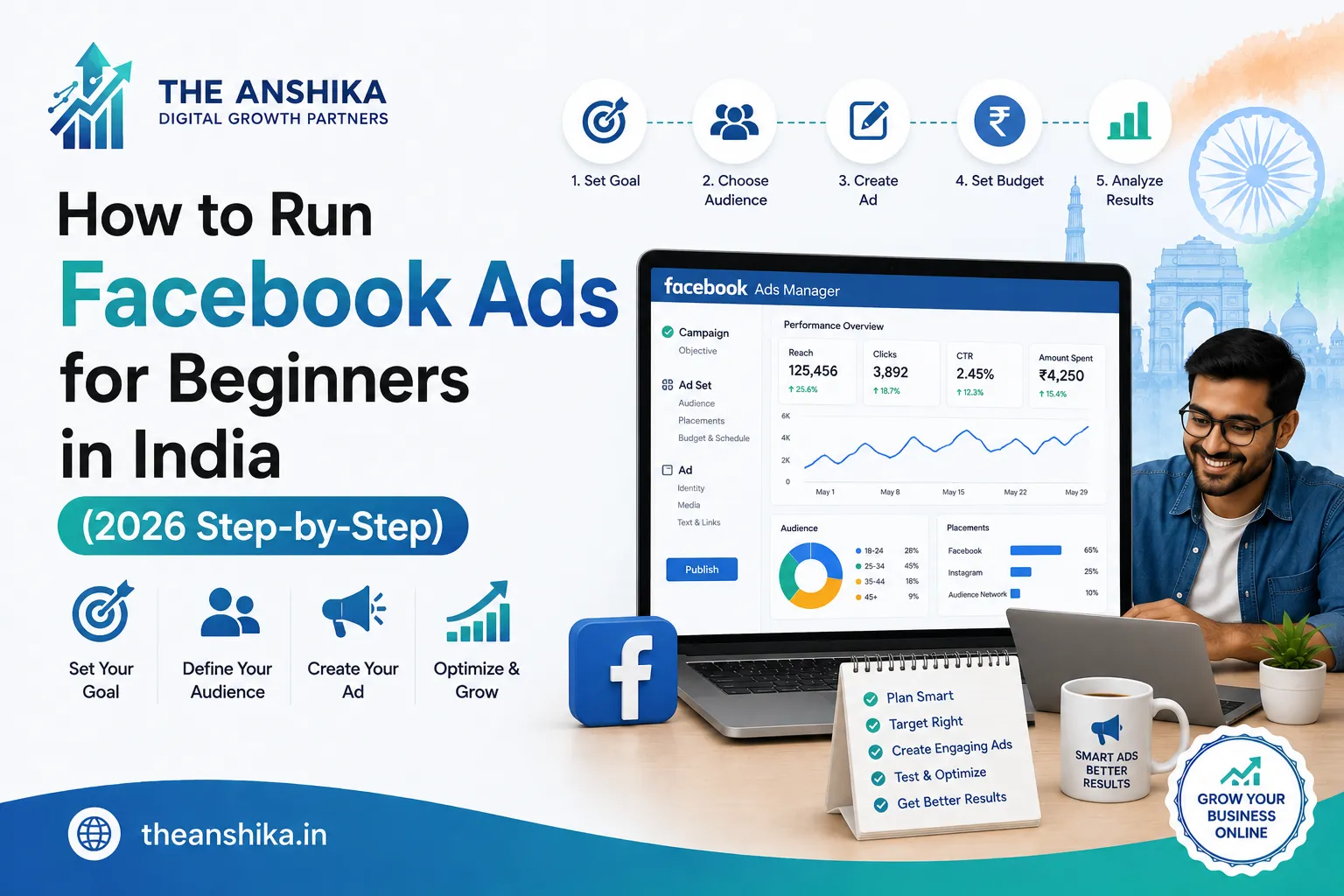
Step 1: Choose the Right Campaign Objective
In Meta Ads Manager, click “Create” to start a new campaign. The first choice is your Campaign Objective — what you want your ads to achieve. This is the most important decision in your entire campaign setup because it tells Facebook’s algorithm who to show your ads to. Choose the wrong objective and your budget is wasted showing ads to the wrong people.
For most Indian small businesses running their first campaign, one of three objectives is appropriate. Choose Awareness if you want to reach as many people as possible in a specific area — good for local businesses trying to build brand recognition. Choose Leads if you want people to fill out a form expressing interest in your product or service — the most commonly effective objective for Indian service businesses, coaches, and course creators. Choose Sales if you have an online store and want people to purchase directly through your ad — requires a properly set up Facebook Pixel on your website.
Step 2: Define Your Target Audience
Facebook’s targeting is the reason it is such a powerful advertising platform for Indian businesses. You can show your ads to extraordinarily specific audiences — people in a specific city, in a specific age range, with specific interests, and even with specific buying behaviours. The challenge for beginners is avoiding the temptation to over-target and end up with an audience so small that your ads have no one to reach.
For most Indian small business first campaigns, a simple audience definition works best. Set location to your target area — this can be as specific as a particular city, or a radius around your business address. Set the age range to match your actual customer demographic. Add 3 to 5 interest targeting selections relevant to your product or service. Avoid adding so many interest filters that your estimated audience size drops below 10,000 people — below that, your campaign will have difficulty spending its budget effectively.
Step 3: Set Your Budget and Schedule
For a first Facebook Ads campaign in India, a daily budget of ₹200 to ₹500 is sufficient to get meaningful results and data. Start with a daily budget rather than a lifetime budget — it gives you more control and makes it easier to pause if something is not working. Run the campaign for at least 7 to 14 days before evaluating results — Facebook’s algorithm needs time to “learn” which people within your audience are most likely to respond to your ad.
Set the campaign schedule to run continuously unless you have a specific end date (like a Diwali sale ending on a specific date). For businesses that only serve customers during certain hours, you can set an ad schedule to run only during those hours — though for a first campaign, running continuously gives Facebook’s algorithm more data to optimise with.
Step 4: Create Your Ad Creative
Your ad creative is the visual and text that people see in their Facebook and Instagram feeds. Meta Ads Manager allows you to create ads that appear on both Facebook and Instagram simultaneously — which is one of its biggest advantages for Indian businesses. For most Indian business ads, a single high-quality image with clear, compelling copy performs well for first campaigns — video ads typically perform better long-term but are more effort to create.
Your ad image should be bright, clear, and visually communicate your offer or product at a glance. Avoid putting too much text on the ad image — Meta’s platform penalises images where more than 20% of the area is covered by text by showing them to fewer people. Create your image using Canva and keep text on the image minimal.
Your ad copy has three key elements. The primary text (above the image): 1 to 3 short, compelling sentences that speak directly to your target customer’s problem or desire. The headline (below the image): a specific, clear offer or call to action. The description (below the headline): brief additional detail or a second benefit. For Indian audiences, ad copy in simple English with occasional familiar Hindi phrases or cultural references often outperforms purely formal English.
Step 5: Launch and Monitor Your Campaign
After reviewing everything, click Publish. Your campaign will go through a brief review process (typically 1 to 24 hours) before going live. Once live, check your Ads Manager dashboard every 2 to 3 days during the first 2 weeks. The key metrics to watch are: Reach (how many unique people saw your ad), Impressions (total number of times your ad was shown), Click-through Rate (CTR — above 1% is decent, above 2.5% is good for Indian campaigns), Cost per Result (how much you paid for each desired action), and Frequency (how many times the same person has seen your ad — above 3 to 4 means your audience is too small or your campaign has run too long for the same creative).
Common Mistakes: Facebook Ads beginners India
Stopping a campaign after 3 days because “it is not working” is the most common and most costly mistake. Facebook‘s algorithm needs a minimum of 7 days and approximately 50 conversion events to exit the “learning phase” — before that point, the results are not representative of the campaign’s actual potential. Targeting an audience that is too broad (“all of India, all ages”) wastes budget on irrelevant viewers. Using the wrong objective — selecting Traffic when you want Leads, for example — means you pay for website visitors who were never likely to convert. And running the same creative for more than 4 to 6 weeks causes “ad fatigue” — your audience has seen it too many times and engagement drops significantly.
Facebook Ads in India can deliver extraordinary results for businesses that set them up correctly and give them enough time and data to optimise. Start with a small budget, learn from the data, and scale what works. Every expert Facebook advertiser in India started with a confused first campaign — the difference between them and those who gave up is simply persistence and willingness to learn. Start your first campaign this week.
We are here to help at support@theanshika.in.